A free dream journal that's private by design
RealAwake is a quiet place to catch your dreams before they fade, and a lucid dream journal built to mark and revisit your lucid dreams. No ads, no tracking, and no AI reading your dreams.
- Free Dream Journal with history, search and favorites
- Entry types for dreams, lucid dreams, astral projections, meditation and contemplation
- Insights: your own thoughts, linked to your entries
- Free guides to lucid dreaming and astral projection
- Reality Check reminders, plus optional PRO tools to spot your patterns
What Is a Dream Journal App?
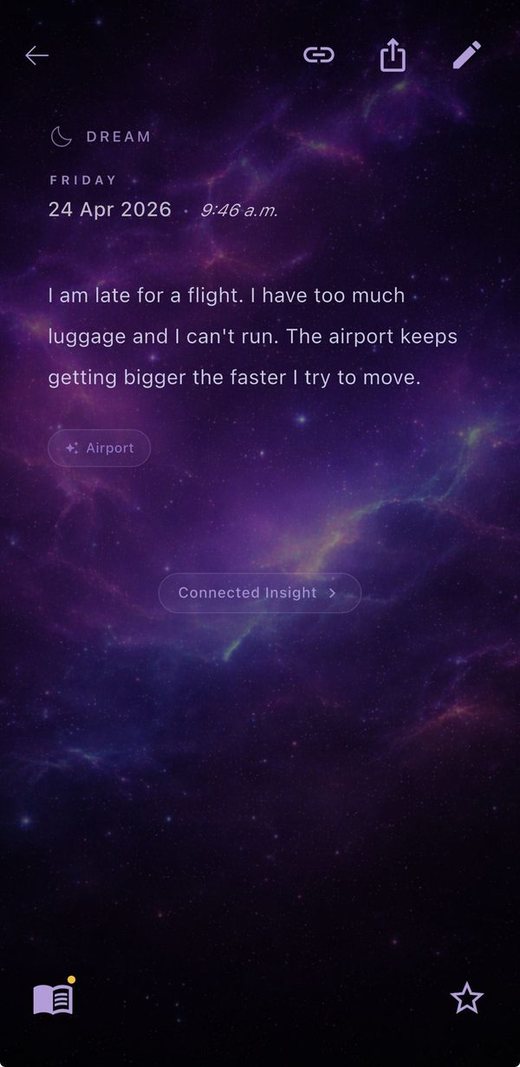
A dream journal app is a place to write down your dreams as soon as you wake up, and to find them again later. Compared with paper, it makes your entries searchable and easy to review, so you can notice the people, places and feelings that keep coming back. If lucid dreaming is your goal, RealAwake works as a lucid dream journal too: choose the Lucid Dreams entry type and your lucid nights are easy to find later (here is how to keep a lucid dream journal). If you're new to the habit, start with our guide on how to start a dream journal, and if you're stuck, here are five habits to remember more dreams.
What You Get for Free
Dream Journal
Write freely, then find entries again with history, search and favorites. The design is calm and cosmic, made for half-awake mornings.
Five entry types
Dreams, Lucid Dreams, Astral Projections, Meditation and Contemplation, so each kind of entry is easy to tell apart.
Share an entry
Send a single entry to a friend or family member when you want to.
Insights
Create your own insights and link each one to a journal entry (more below).
Lucid Dream and Astral Projection guides
Built-in guides to lucid dreaming techniques and to astral projection, free for everyone.
Reality Check
Reminders to ask yourself whether you're dreaming, with up to 6 notifications a day.
A Closer Look
Learn lucid dreaming inside the app
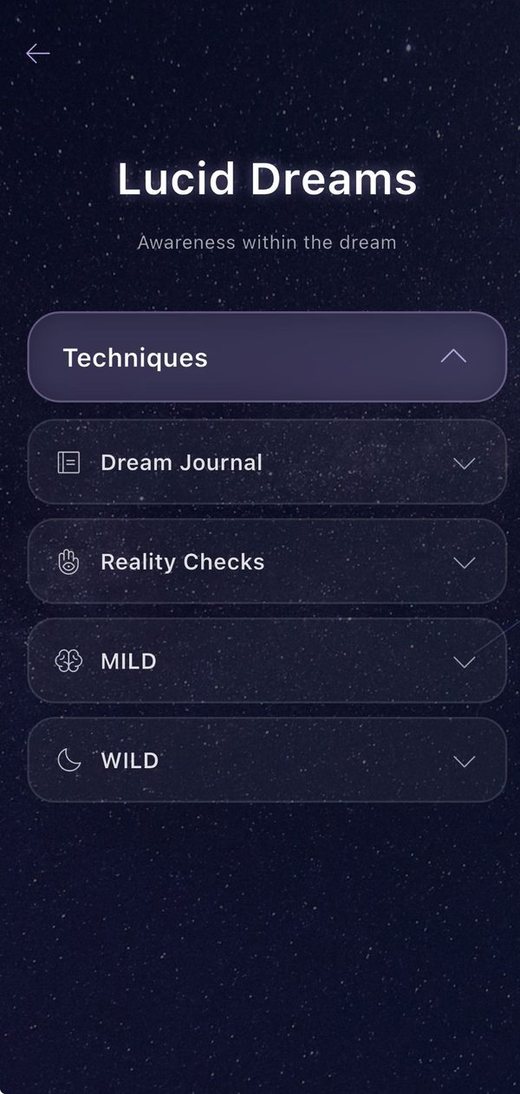
The Lucid Dreams guide covers techniques such as Reality Checks, MILD and WILD, and there is a matching guide for astral projection. Both are free. For a deeper walk-through, see our beginner's guide to lucid dreaming.
Keep your own thoughts, linked to your dreams
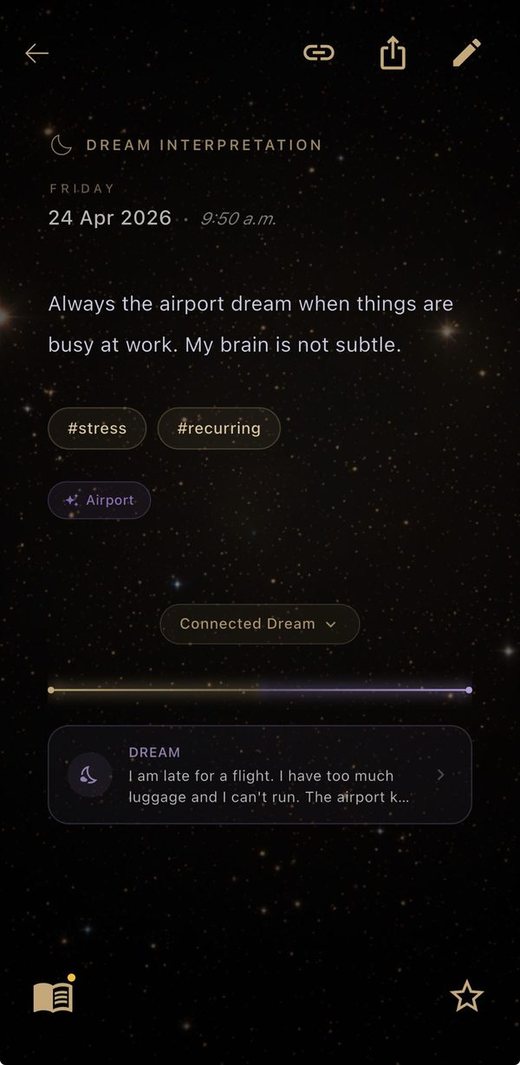
Insights is a separate space for your own interpretations and the thoughts you have during the day. Choose from five insight types (Dream Interpretation, Lucid Insight, Astral Reflection, Meditation Insight and Contemplation), add tags, and link an insight to a journal entry so the two stay connected. With PRO you can connect multiple entries between the Dream Journal and Insights. It's your voice, not an algorithm's.
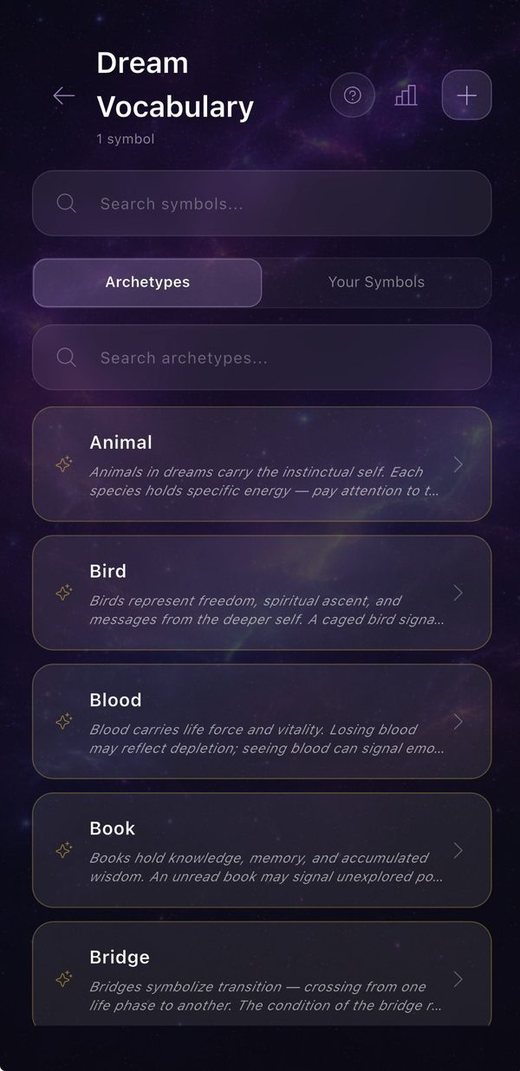
Build your own dream vocabulary
Browse a collection of archetypes and symbols, and add your own symbols with your own meaning. See where each one appears in your journal entries and insights.
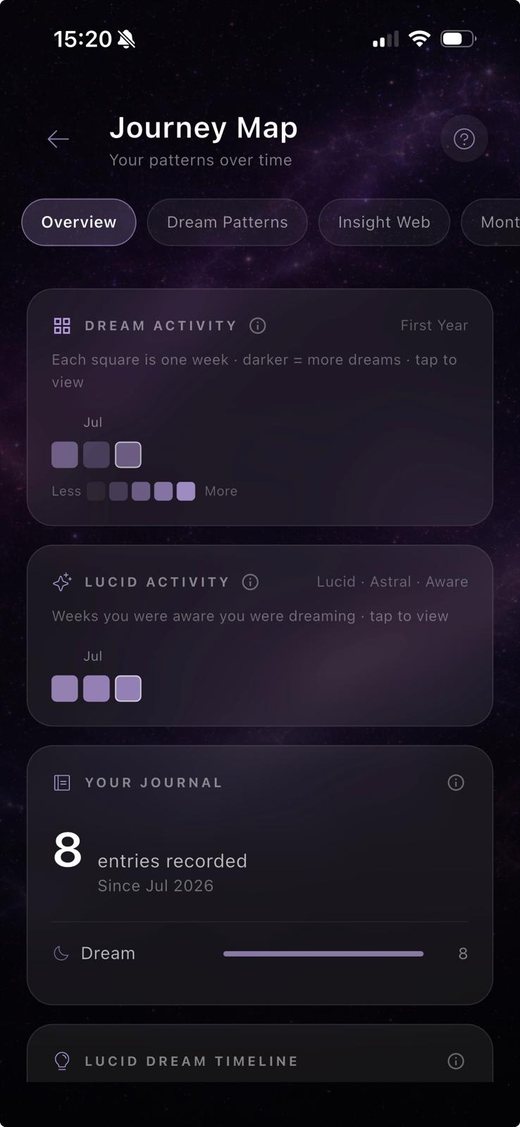
See your patterns over time
Dream Journey shows your dream activity and lucid activity over time, recurring words in your entries and more, with a monthly PDF of your stats. Practice Analytics lets you track how well the methods you chose are working.
Free vs. PRO
| Feature | Free | PRO |
|---|---|---|
| Dream Journal with history, search and favorites | ✓ | ✓ |
| Entry types (Dreams, Lucid Dreams, Astral Projections, Meditation, Contemplation) | ✓ | ✓ |
| Create Insights and link each one to a journal entry | ✓ | ✓ |
| Connect multiple entries between the Dream Journal and Insights | ✓ | |
| Lucid Dream and Astral Projection guides | ✓ | ✓ |
| Share an entry | ✓ | ✓ |
| Dream Vocabulary, with your own symbols | ✓ | |
| Dream Journey: patterns, lucidity stats, monthly PDF | ✓ | |
| Reality Check reminders (Free: up to 6 a day, PRO: up to 12 a day) | ✓ | ✓ |
| Customizable Reality Check | ✓ | |
| Practice Analytics: track how well your chosen methods work | ✓ | |
| Small library of guided meditations | ✓ |
Private by Design
Dreams are personal, so privacy comes first. RealAwake has no ads, no tracking and no AI reading your dreams. Your data stays on your device by default. Cloud backup is optional and encrypted. You can read more in our Privacy Policy.
How to Choose a Dream Journal App
Whichever app you try, a few questions are worth asking:
- Is it quick to write in? You'll use it half asleep, so fewer taps is better.
- Who can read your entries? Check what's stored, where, and whether an AI reads it.
- Are there ads? They can break the mood, and you're sharing something personal.
- Can you find old dreams? Search, favorites and history matter more as entries pile up.
- Can you tell lucid dreams apart? Useful if lucid dreaming is your goal.
- Can you back it up? A journal is worth keeping safe.
Frequently Asked Questions
Is the RealAwake dream journal free?
Yes. The Dream Journal is free, with a full history, search, favorites, Insights, Reality Check reminders and the Lucid Dream and Astral Projection guides. RealAwake PRO is optional and adds tools like Dream Vocabulary, Dream Journey, Practice Analytics and more Reality Check customization.
Is my dream journal private?
RealAwake is built to be private: no ads, no tracking, and no AI reading your dreams. Your data stays on your device by default, and cloud backup is optional and encrypted.
Does RealAwake interpret my dreams?
No. There is no AI interpretation. Insights is a separate space where you write your own interpretations and the thoughts you have during the day, and you can link an insight to a journal entry.
What can I write in the journal?
Anything you remember, as free text. Each entry has a type: Dreams, Lucid Dreams, Astral Projections, Meditation or Contemplation.
Which devices does it run on?
The App Store link on this page is for iPhone. If we add other platforms, we'll say so here.
Do I need a template?
No, the journal is free writing. If you like a little structure, try our free dream journal template.
Want to try lucid dreaming too?
The free Lucid Dreaming Starter Guide covers the techniques on a few clean pages.
Get the Free Guide →Stop forgetting. Start remembering.
Download RealAwake and write your first dream tomorrow morning.
Download on theApp Store